
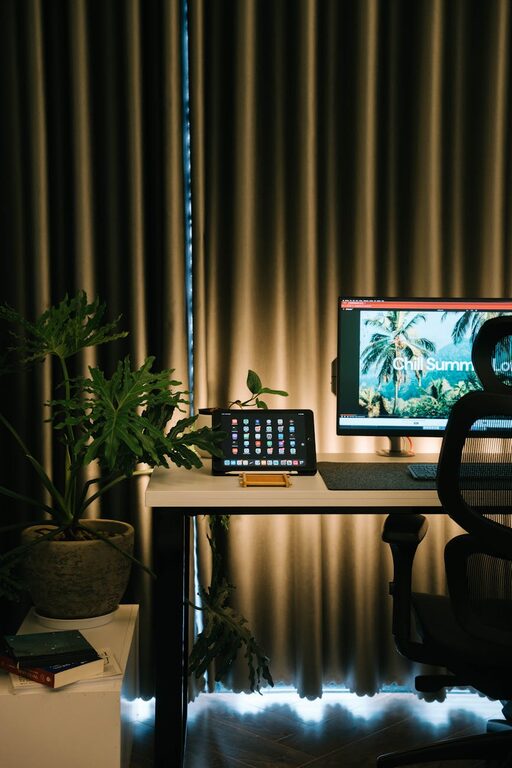
Creating a home office that balances comfort and productivity can transform your work-from-home experience. Whether you spend a few hours a week or full days working remotely, having a space that feels inviting and helps you focus makes a big difference. Here are some actionable tips to set up a cozy and efficient home workspace.
Choose the Right Location
Start by selecting a space that suits your work habits and lifestyle:
– Natural Light: Pick a spot near a window if possible. Sunlight boosts mood and energy while reducing eye strain.
– Quiet Environment: Find a place with minimal distractions—away from noisy appliances, TV, or heavy foot traffic.
– Dedicated Space: Designate a specific area exclusively for work. This separation helps mentally switch between work mode and relaxation.
Invest in Comfortable Furniture
Comfort is key to staying productive and avoiding physical strain:
– Ergonomic Chair: Choose a chair with good lumbar support and adjustable height to maintain healthy posture.
– Desk Size: Ensure your desk offers enough surface area for your computer, notebooks, and other essentials.
– Adjustable Setup: Consider a sit-stand desk or add a keyboard tray to keep your wrists and neck comfortable.
Optimize Lighting
Proper lighting reduces eye fatigue and creates a pleasant ambiance:
– Use a combination of natural light and task lighting.
– Position your desk lamp to avoid glare on your screen.
– Opt for warm, soft bulbs to promote a cozy feeling in the room.
Declutter and Organize
A tidy space encourages clear thinking:
– Keep only essentials on your desk to minimize distractions.
– Use storage solutions like drawers, shelves, or organizers for documents and supplies.
– Regularly review your setup to remove unnecessary items.
Personalize Your Workspace
Adding personal touches can make your office feel welcoming:
– Incorporate decor that inspires you, such as artwork or motivational quotes.
– Add greenery with small plants, which improve air quality and soften the environment.
– Choose a color scheme that makes you feel calm and focused—soft blues, greens, or neutrals are good options.
Manage Technology Efficiently
Smooth tech setup supports uninterrupted work:
– Ensure reliable Wi-Fi and sufficient outlets for charging devices.
– Use cable organizers to keep cords neat and avoid tangles.
– Consider noise-cancelling headphones to improve concentration during calls or focused tasks.
Take Breaks and Move
To maintain productivity, incorporate movement and rest into your routine:
– Use a timer or app to remind you to stand, stretch, or walk briefly every hour.
– Design your space to encourage quick breaks—maybe a nearby comfy chair or a spot for simple stretches.
Maintain Good Air Quality and Temperature
Comfort extends beyond furniture and lighting:
– Keep your workspace well-ventilated by opening windows or using an air purifier.
– Set the room temperature to a comfortable level, ideally between 68-72°F (20-22°C).
– Avoid clutter around heating or cooling vents to allow proper airflow.
Establish Work Boundaries
Finally, create habits that help separate work time from personal time:
– Communicate your schedule with household members to minimize interruptions.
– Shut down your computer and tidy your desk at the end of your workday.
– If possible, close the door to your workspace to signal work hours have ended.
—
Building a cozy and productive home office is a personal journey—you can tweak your setup as you discover what works best for you. By combining comfort, organization, and good work habits, your home office can become a space where you look forward to spending time and doing your best work.