
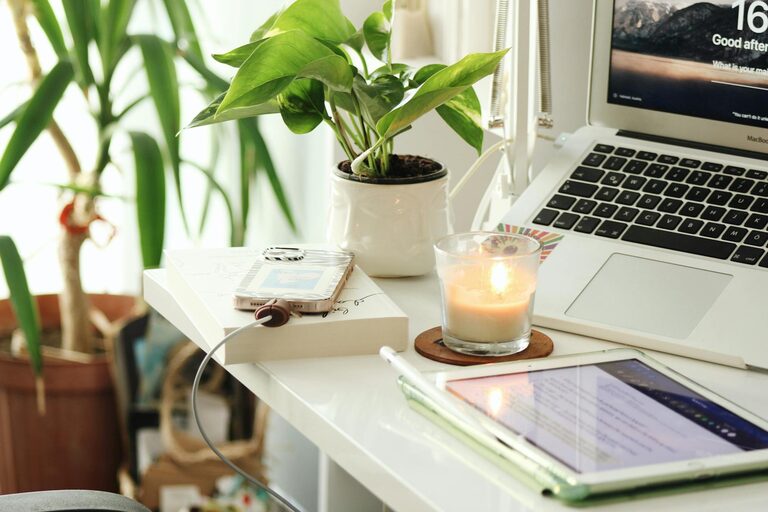
Creating a home office that balances comfort and productivity can transform your work-from-home experience. Whether you work remotely full-time or occasionally, having a space that feels inviting and supports your tasks is key to maintaining focus and motivation. Here are some thoughtful tips to help you design a cozy and productive home office space.
1. Choose the Right Location
Finding the ideal spot in your home is the first step.
– Natural Light: Set up near a window if possible. Natural light boosts mood and reduces eye strain.
– Quiet Area: Choose a place away from high-traffic zones to minimize distractions.
– Space Availability: Make sure there is enough room for your desk, chair, and any other essentials.
2. Invest in Comfortable Seating
Comfort plays a major role in productivity.
– Ergonomic Chair: A chair supporting good posture prevents back pain and fatigue.
– Adjustability: Look for chairs with adjustable height and lumbar support.
– Cushions and Throws: Adding soft cushions or a cozy throw blanket can make your seating more inviting.
3. Optimize Your Desk Setup
Your desk is the heart of your home office.
– Proper Height: Ensure the desk suits your height to avoid strain on your wrists and shoulders.
– Declutter: Keep only necessary items on your desk to create a clean workspace.
– Storage Solutions: Use drawers or organizers to keep papers and stationery neatly arranged.
4. Use Calming Colors and Personal Touches
The ambiance affects how you feel and work.
– Color Palette: Soft, neutral tones like blues, greens, or warm grays promote calm and concentration.
– Plants: Adding greenery improves air quality and creates a peaceful vibe.
– Personal Items: Photographs, artwork, or mementos can inspire and uplift your mood without cluttering the space.
5. Ensure Good Lighting
Proper lighting reduces eye strain and enhances productivity.
– Task Lighting: A desk lamp with adjustable brightness helps illuminate work areas.
– Ambient Lighting: Combine natural and artificial lights for a well-lit room.
– Avoid Glare: Position screens to reduce glare from windows or lights.
6. Manage Technology Efficiently
Having your devices organized saves time and frustration.
– Cable Management: Use clips, sleeves, or boxes to keep cords tidy and out of sight.
– Equipment Placement: Position your monitor at eye level and keep frequently used devices within reach.
– Reliable Internet: Ensure your Wi-Fi connection is stable to avoid interruptions.
7. Create Zones Within Your Office
If space allows, dividing areas improves focus and comfort.
– Work Zone: Dedicated desk space for computer work and paperwork.
– Break Area: A comfy chair or small sofa for relaxation or reading.
– Storage Zone: Shelves or cabinets to keep files and supplies organized.
8. Incorporate Air Quality and Comfort
Feeling physically comfortable is vital.
– Ventilation: Open windows regularly or use an air purifier to maintain fresh air.
– Temperature Control: Use fans, heaters, or humidifiers to keep the room at a comfortable temperature.
– Scent: Light candles or use diffusers with calming scents like lavender or eucalyptus, if preferred.
9. Establish Routine and Boundaries
A well-designed space supports good work habits.
– Set Work Hours: Define when you start and stop working to balance productivity and rest.
– Keep Office for Work: Minimize personal distractions by reserving the space primarily for professional tasks.
– Take Breaks: Use your break area or step outside to refresh your mind during the day.
Conclusion
Designing a home office that feels cozy and enhances productivity is achievable with thoughtful planning. By selecting the right location, investing in comfortable furniture, maintaining good lighting, and personalizing your space, you create an environment that supports your work and well-being. Small changes can make a big difference in how you experience your work-from-home routine, helping you stay focused and feel at ease throughout the day.